- Employee Work Tracking Software for Growing Companies
Clear Work Tracking for Every Team and Department
All Work. All Staff. One System
Xync provides a practical Employee Work Tracking Software that helps companies assign work, monitor employee activity, track deadlines, manage approvals, and review daily reports from one connected platform. It is built for businesses that want clear work ownership, better staff accountability, and complete visibility over daily operations.
Clear work assignment
Approval-based completion
Daily progress tracking
Team performance visibility
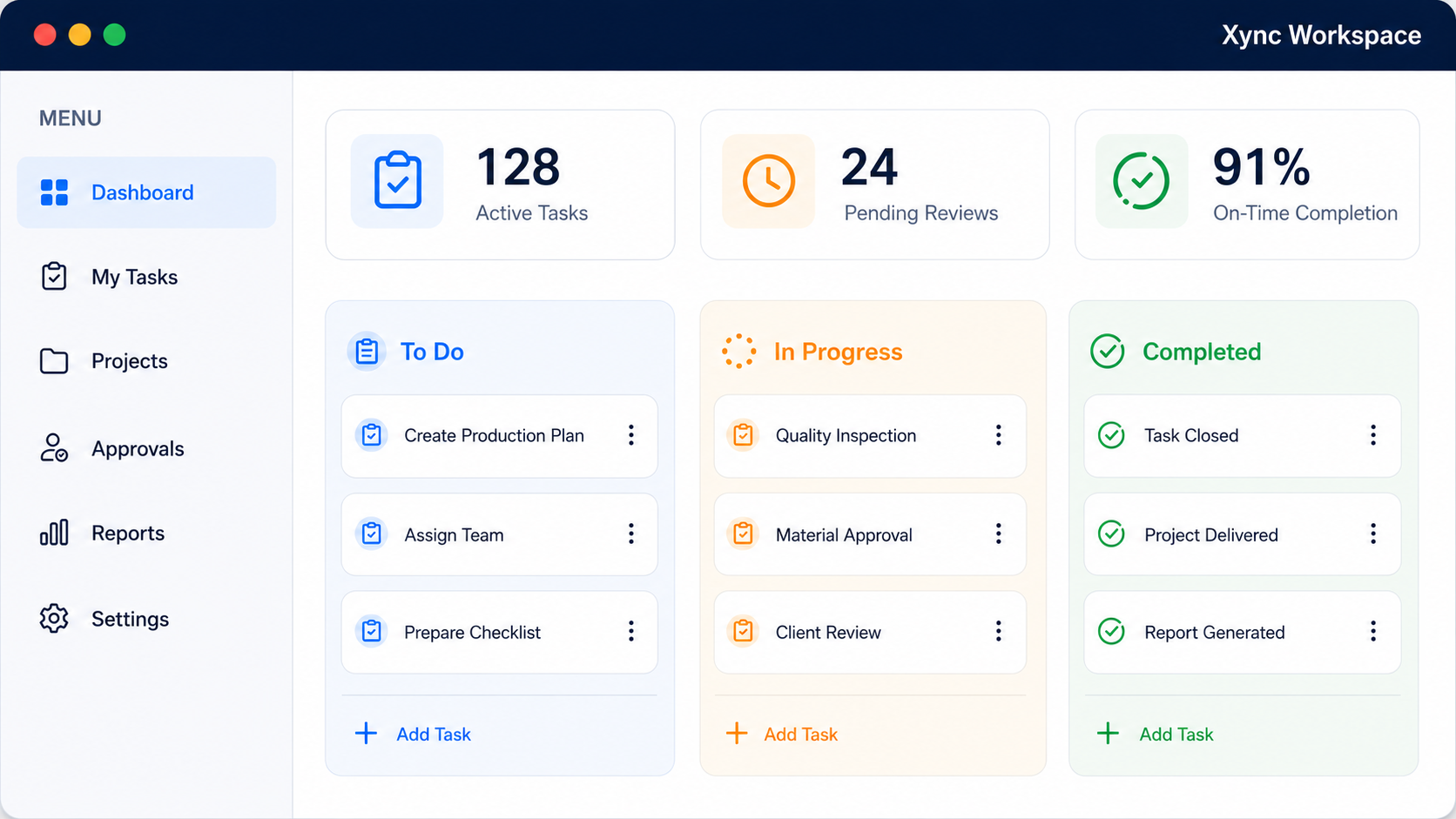
Built for Daily Business Execution
Assign tasks, monitor progress, approve completed work, and generate clear reports without depending on WhatsApp, spreadsheets, or manual follow-up.
Faster follow-up
Better Visibility
Clear Ownership
Reduced Delays
From Assignment to Approval, Every Step Stays Clear
When daily work is managed through calls, WhatsApp messages, Excel sheets, or verbal updates, tasks can be missed, delayed, or completed without proper review. Xync keeps every work request, employee responsibility, progress update, approval, and report in one clear system.
1
Capture Work Request
2
Assign Employee
3
Track Status
4
Add Updates and Files
5
Review and Approve
6
Generate Reports
Work Management Software for Different Business Teams
Xync is suitable for companies that want to organize employee responsibilities, office work, field work, daily reports, approvals, and internal follow-ups in a more professional way.
⚙
Manufacturing Companies
Xync helps manufacturing teams manage maintenance work, production follow-ups, quality checks, safety inspections, shift handovers, and supervisor updates with clear work ownership.
Manufacturing work tracking software
✦
Service Companies
Service Companies Service-based businesses can use Xync to assign customer work, track employee visits, manage follow-ups, monitor service status, and review completed work.
Staff Management Software
▣
Construction Companies
Construction teams can manage site tasks, contractor follow-ups, material requests, punch lists, supervisor activities, and project updates through one organized work tracking system.
Work Tracking Software
◎
Office Teams
Office teams can track admin tasks, documentation, approvals, meeting follow-ups, payment reminders, HR activities, and daily employee work updates.
Office Work Tracking Software
⇄
Field Service Teams
Field employees can receive assigned work, update status from site, request extra time, complete checklists, and keep managers informed without repeated phone calls.
Employee Activity Tracking Software
▦
Sales Teams
Sales teams can manage lead follow-ups, client visits, quotation tasks, proposal updates, payment reminders, and daily reporting with clear responsibility.
Employee Daily Report Software
Smart Features for Better Work Management
◆
Task Management
Create and assign tasks with title, description, priority, deadline, employee name, department, remarks, and attachments.
⬤
Attendance with Leave Management
Manage attendance, leave requests, approvals, and attendance-related work planning for better employee coordination.
■
Dashboard
View total work, pending tasks, in-progress tasks, delayed work, completed activities, approvals, reports, and employee status.
⬢
Easy Integration
Connect the system with your existing business workflow, employee structure, department process, or reporting method.
✉
WhatsApp Notification
Send important task reminders, work updates, approval alerts, and follow-up notifications through WhatsApp.
▣
Calendar
Plan deadlines, meetings, task schedules, recurring work, employee follow-ups, and daily activities through calendar view.
✦
Vernacular Languages
Support local language usage so staff and field employees can understand work instructions more easily.
⬥
Voice Message
Allow employees to share quick work updates through voice messages when typing is difficult.
◷
Time Sheets
Track employee work hours, activity duration, daily updates, and task completion details.
✦
Instant Message
Enable quick communication between managers, employees, and teams for faster coordination.
⌖
Geolocation
Track field employee updates with location details for site visits, service work, inspections, outdoor assignments, and remote reporting.
⟳
Recurring Tasks
Create daily, weekly, monthly, or scheduled recurring tasks for inspections, reports, maintenance, follow-ups, and routine office work.
Real Client Review
What Our Clients Say
Result Highlights:
- Better daily work visibility
- Faster manager follow-up
- Clear employee responsibility
- Reduced missed task updates
Built for the Way Real Companies Work
Custom Workflow
Adapt the software to match your unique business processes and workflows.
Department-Wise Control
Manage tasks and activities separately for each department.
Office and Field Team Support
Enable employees to update work from any location.
Role-Based Access
Provide secure access based on user roles and responsibilities.
Reports for Better Decisions
Gain insights through real-time reports and performance tracking.
Future Customization Support
Expand the system with new features and business-specific requirements.
Employee Task Tracking FAQs
What is employee work tracking software?
Employee work tracking software helps companies assign work to employees, monitor daily progress, track pending tasks, review completed work, and manage team responsibilities from one system.
Which software is best for tracking employee daily work?
The best employee daily work tracking software should include task assignment, deadline tracking, daily work reports, employee performance tracking, approval workflow, and dashboard visibility.
How can I track employee work progress?
You can track employee work progress by using a system where every task has an employee owner, deadline, priority, status update, comments, and completion record.
What is the use of task management software in business?
Task management software helps businesses organize daily work, assign responsibilities, manage deadlines, reduce missed follow-ups, track employee activity, and improve team productivity.
Can task management software track employee performance?
Yes. Task management software can help track employee performance by showing assigned work, completed tasks, delayed activities, daily updates, approval history, and overall work completion records.
How do companies manage employee tasks?
Companies manage employee tasks by creating work items, assigning them to staff, setting due dates, tracking status, reviewing updates, and approving completed work.
What is daily work report software?
Daily work report software allows employees to update their completed work, pending tasks, delays, remarks, and daily activities so managers can review productivity and work status.
How can I manage office staff work?
You can manage office staff work using office work tracking software that helps assign admin tasks, HR follow-ups, documentation work, approvals, meeting actions, reminders, and daily reports.
Can managers approve completed tasks?
Yes. A task management system can include an approval workflow where completed work is submitted for manager review before it is marked as finally completed.
How do I choose task management software for my company?
Choose task management software that is easy to use and supports work assignment, deadline tracking, daily reports, employee performance tracking, approval workflow, mobile access, and customization based on your company’s workflow.