- Office Task Management Software
Bring Structure, Visibility and Accountability to Every Workday
Simplify daily office operations with Xync. Assign tasks, track progress, manage approvals and keep every team aligned through one centralized workspace. Stay organized, improve accountability and ensure work gets completed on time.
Task Assignment
Department Workflows
Approval Tracking
Team Collaboration
Work Dashboards
Deadline Monitoring
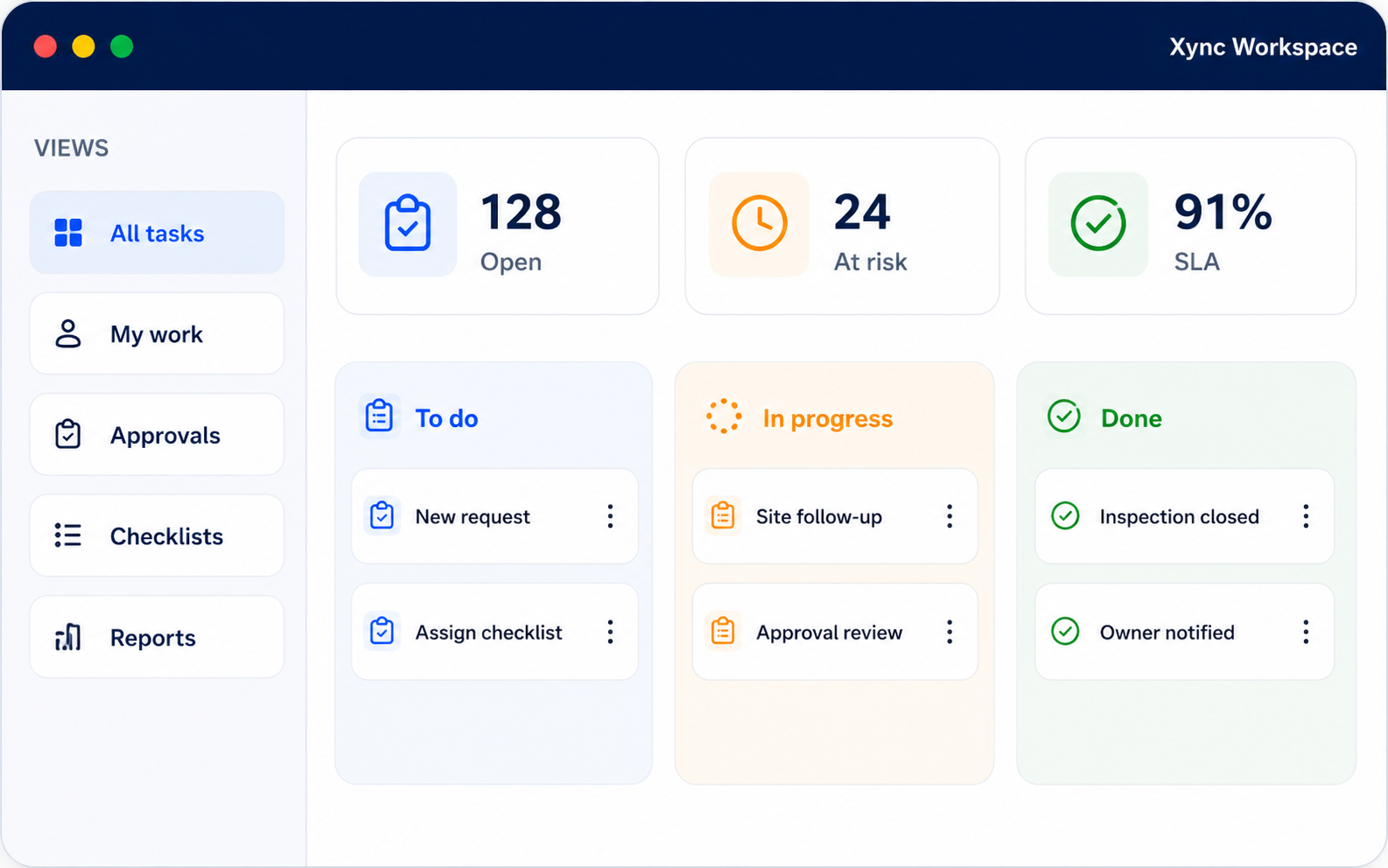
One Workspace for Everyday Office Work
Plan, assign, monitor and review office activities without relying on disconnected spreadsheets, long email threads, notebooks or scattered messages.
Zero Missed Tasks
Clear Work Priorities
Consistent Output
Fast Coordination
Why Traditional Office Workflows Slow Businesses Down
1
Lack of Work Visibility
2
Missed Deadlines
3
Limited Work Insights
4
No Clear Ownership
5
Slow Approval Processes
6
Limited Work Insights
One Platform for Every Stage of Office Work
1
Capture New Work
Create employee tasks, internal requests, approvals, project activities and department responsibilities.
2
Set Priorities and Deadlines
Define the urgency, expected completion date and business importance of each activity.
3
Assign Responsibility
Assign work to the appropriate employee, team or department.
4
Share Instructions and Files
Add descriptions, supporting documents, images and relevant information.
5
Record Progress Updates
Employees can update status, add remarks and communicate progress within the activity.
6
Review Completed Work
Managers can check submitted updates, files and completion details.
7
Approve and Close
Approve completed activities and maintain a clear record of completion.
8
Review Reports and Plan Ahead
Use dashboards and completed work records to improve future planning.
Manage Work Across Every Office Department
Human Resources
Manage onboarding, employee requests, policy updates, recruitment activities, leave processes and recurring HR work.
Sales and Business Development
Track enquiries, quotations, proposals, meetings, customer commitments and follow-up activities.
Accounts and Finance
Coordinate invoice processing, payment approvals, expense verification, reconciliation tasks and financial documentation.
Purchase and Procurement
Monitor vendor communication, purchase requests, quotation comparisons, approval cycles and order-related follow-ups.
Administration
Organize facility management, office maintenance, vendor coordination, document renewals and administrative responsibilities.
Customer Support
Track customer requests, complaint resolution, follow-up communication and pending support activities.
Operations
Coordinate daily assignments, recurring activities and cross-department operational work.
IT and Technical Support
Manage internal support requests, implementation activities and system-related follow-ups.
Marketing
Track campaign activities, content work, design requests, event preparation and approvals.
Project Teams
Break projects into assigned activities, set deadlines and review progress until completion.
Management
Review company-wide work, department activity, delayed tasks and pending approvals through dashboards.
Why Businesses Choose Xync
Simple Task Assignment
Approval-Based Completion
Department Flexibility
Office and Remote Team Support
WhatsApp Notifications
Current Work Visibility
Role-Based Access
Configurable Business Workflows
Office Task Management Software FAQs
What Is Office Task Management Software?
Office Task Management Software helps businesses assign employee work, monitor deadlines, manage approvals, collect updates and organize daily office operations from one centralized platform.
What Types of Office Work Can Be Managed?
Businesses can manage daily employee tasks, approvals, internal requests, project activities, client follow-ups, invoice work, payment reminders, document reviews and recurring responsibilities.
Can Managers Assign Tasks to Employees?
Yes. Managers can create tasks, choose the responsible employee or department, define priorities and set deadlines.
Can Employees Update Their Work Progress?
Yes. Employees can update task status, add remarks, attach supporting files and submit completed work for review.
Can Multiple Departments Use Xync?
Yes. HR, sales, finance, procurement, administration, operations, support and management teams can use configurable workflows designed for their responsibilities.
Does Xync Support Approval Workflows?
Yes. Completed tasks can be submitted for manager review before final approval, ensuring better accountability and process control.
Can Managers View Current Work Status?
Yes. Real-time dashboards provide visibility into pending, active, delayed and completed activities across employees and departments.
Can Recurring Office Work Be Scheduled?
Yes. Daily, weekly, monthly and custom recurring tasks can be created for routine activities, reviews and scheduled responsibilities.
Can Xync Support Remote Employees?
Yes. Remote employees can receive task assignments, update work progress and submit completed activities from different locations.
Can Xync Be Customized?
Yes. Xync can be configured to match your organization's departments, employee roles, workflows, approval processes and reporting requirements.